How Enterprise Sales Teams Can Get More Replies With Sendblue
Think about all the messages competing for attention on your prospect’s phone: promotional offers, appointment reminders, shipping updates, verification codes, and sales outreach.
So when a rep wants to follow up after a demo, answer a quick question, or get a stalled deal moving, and it lands as a green text with “Reply STOP to unsubscribe” at the bottom, it gets ignored.
Even if you personally write every word in a text, that unsubscribe language can put your message in the same mental category as every other business notification.
With traditional sales texting, you can personalize every word and the experience can still feel automated. Before a prospect considers what you’re saying, they may have already decided what kind of message it is.
People know iMessage as the place they talk to friends, family, colleagues, and clients.
For enterprise sales, where a deal may involve months of follow-up, those small exchanges matter. A reply can clarify an objection, confirm a next step, or tell the rep what’s actually holding up a decision.
The Personal-Phone Workaround (and why it doesn't work)
Good reps notice what gets answered. So they skip the SMS platform and text prospects from their own iPhones.
The prospect sees a blue bubble, a first name, and no opt-out boilerplate. The prospect replies.
That works for the rep. It causes four problems for the team:
- A rep leaves, and the history leaves too. The new owner of the opportunity can't see what was promised, who was introduced, or where things stalled.
- A manager can't tell who's been contacted. The CRM shows no touch, so the lead looks untouched. Two reps may work the same account, or nobody does.
- A rep with a full book forgets. Forty open threads on a personal phone have no tasks, no reminders, and no next step on the record.
- A stop request stays on one phone. If a buyer asks a rep to stop texting, nobody else on the team knows.
Banning personal-phone texting doesn't fix this. Reps text from their phones because buyers answer there. Take that away and you lose the replies.
Sendblue brings iMessage into your sales workflow, so reps can send the kind of messages they would send from their own iPhones, directly from the tools your team already uses. It supports real iMessage delivery, CRM integrations, voice messages, and FaceTime Audio.
Give Each Rep a Blue Bubble That Lives in the CRM
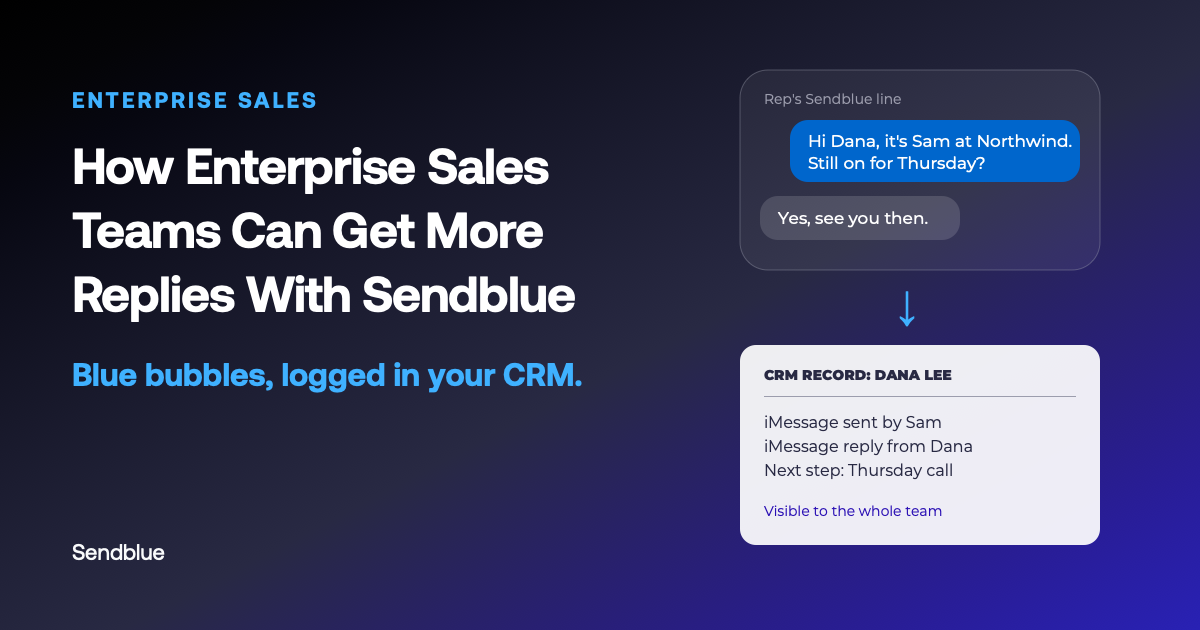
Sendblue gives each rep a dedicated business number that sends and receives as real iMessages. The prospect sees a blue bubble from a number that can also call them.
When a buyer doesn't use iMessage, Sendblue automatically falls back to RCS (the upgraded carrier texting standard) and then SMS from the same number. The rep doesn't have to check the buyer's device first.
Every send, reply, and call logs back directly to the CRM:
| CRM | Where iMessages are logged | Source |
|---|---|---|
| Salesforce | As activities on Lead, Contact, and Opportunity records | Sendblue Salesforce integration |
| HubSpot | On the contact timeline, next to emails, calls, and notes | Sendblue HubSpot integration |
| Close | As activities on the contact record | Sendblue Close integration |
In Salesforce, you can assign different Sendblue numbers to different reps or territories. A prospect can then hear from the same rep on the same number.
Consult with your legal counsel to ensure that your opt-out process is compliant with applicable law and consistent with industry standards.
Turn “Unknown Sender” Into a Familiar Contact
In iOS 26, a prospect can turn on Screen Unknown Senders, and Messages sorts anyone who isn't in their contacts into a separate folder, with no notification. Your rep's perfectly good message sits there next to the spam.
Sendblue helps your rep get saved as a contact from the first message.
Send a contact card with the first text. Reps can attach a vCard through Sendblue with their name, title, company, and photo. The buyer taps once to save it. From then on, the thread shows "Sam from Sendblue" instead of a random phone number.
Skip the carrier filters. SMS, MMS, and RCS pass through carrier spam scoring and iOS's Promotions and Transactions sorting. iMessage goes through Apple instead. Your rep's message doesn't compete with shipping alerts and verification codes in the carrier layer.
Bypass AI Call Screeners with FaceTime Audio
Texting isn't the only channel iOS screens. In iOS 26, Call Screening answers calls from unsaved numbers, asks the caller for a name and a reason, and only then decides whether to ring. Silence Unknown Callers sends those calls straight to voicemail.
With Sendblue, a rep can place a FaceTime Audio call from the same number they text from. FaceTime Audio takes a different route from traditional carrier calls. That helps reps avoid carrier spam labels that can hurt pickup rates.
Pair that call with an iMessage introduction and a contact card the buyer can save. The buyer gets context before the call and a recognizable name when it comes through.
Send a Voice Note When Text Isn't Enough
Some follow-ups are easier to say than type.
A prospect asks a detailed question or raises an objection. The answer needs some explanation, but neither person needs another 30-minute meeting.
In a 30-second voice note, the buyer hears the rep's own voice talking about their account. It shows a person is on the other end of the thread.
Sendblue sends native iMessage voice notes. The buyer gets the same inline, playable audio message they'd get if a colleague held down the microphone button.
Connect Sendblue to the Rest of Your Stack
Enterprise sales teams have workflows that extend beyond a single CRM. Lead routing, appointment scheduling, account ownership, and customer handoffs may involve several systems.
Sendblue connects to those systems in four ways:
- More native integrations. Beyond Salesforce, HubSpot, and Close, Sendblue has native integrations with GoHighLevel, Follow Up Boss, and Monday.com. You turn each one on from the Sendblue dashboard.
- No-code automation. Zapier and Make cover common tools without code.
- A Click-to-Dial Chrome extension. The Sendblue Call extension finds phone numbers on a web page and adds call and chat icons next to them. A rep can call or text a prospect from a system Sendblue doesn't integrate with.
- The API and webhooks. For teams with a custom stack, the Sendblue API sends and receives iMessages over REST. You can connect it to a data warehouse, an internal tool, or a CRM without a native integration. Webhooks post inbound messages, delivery updates, and call events to your own endpoint in real time.
With webhooks, your engineers can route a reply to the account owner or write it to your data warehouse. They can also alert a manager when a key account responds.
Built for Enterprise Security: SOC 2 Type II and HIPAA Plans
Enterprise security teams review sales tools before purchase, and personal phones are hard to defend in that review. Texts on a rep's own iPhone sit outside your CRM and outside your company's records.
Sendblue is SOC 2 Type II certified, and HIPAA plans are available. Enterprise business associate agreements (BAAs) are available for teams that sell into healthcare. Every message runs on a dedicated business line and logs to the CRM record. Your RevOps and security teams can see the thread and hand it to the next rep.
Keep the Blue Bubble, and Keep the Record
Your reps already know prospects answer iMessage. Sendblue lets them keep texting that way from a line the whole team can see and hand off.
Talk to a human at Sendblue to see how it works in your CRM.
About the author: The Sendblue team builds iMessage tools for sales teams and AI agent builders. We're a Y Combinator company (S23) based in New York. Read our privacy policy.
See Sendblue in your CRM
Talk to a human about rolling out iMessage across your sales team.