How to Text ChatGPT on iMessage (ChatGPT Dots Guide)
ChatGPT Pro users in the U.S. can now text their dot over iMessage and RCS. Setup steps, what works over text, and how to build your own iMessage AI agent.
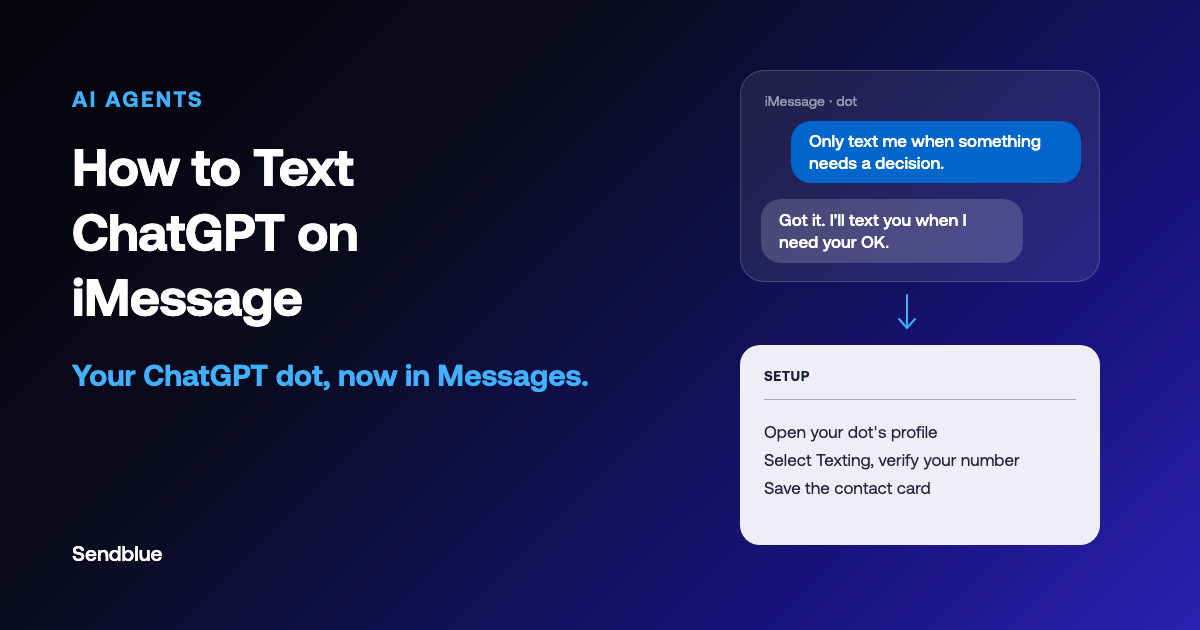
On October 28, OpenAI gave ChatGPT's AI agent a phone number. Pro subscribers in the U.S. can now text their "dot", ChatGPT's always-on agent, over iMessage or RCS on Android. The move fits a wider shift. More companies now treat iMessage as a customer channel, because the easiest AI agent to use is one that lives in an app people already use every day, not something new they have to download. To get started: Open the dot's profile, tap Texting, verify your number, and save the contact card. That's it. The agent shows up in Messages, right next to everyone else.
OpenAI's texting is limited to ChatGPT Pro in the U.S. and is rolling out gradually. If your dot can't text you yet, you can add iMessage to it yourself with Sendblue.
Add iMessage to Your dot for Free 60 seconds
Copy the quickstart guide and paste it to your dot. No credit card required, free for 10 contacts.
For dedicated numbers and iMessage across a team, see Sendblue for business.
What Are ChatGPT dots?
A dot is an agent inside ChatGPT that keeps working after you close the app. You give it a goal, hand it the tools it needs and tell it how much it can do on its own. It runs on its own cloud computer, and when it finishes something or gets stuck, it comes back to you. OpenAI's examples: preparing a presentation, turning transcripts into drafts, and scoping code changes (OpenAI, "Getting started with your dot").
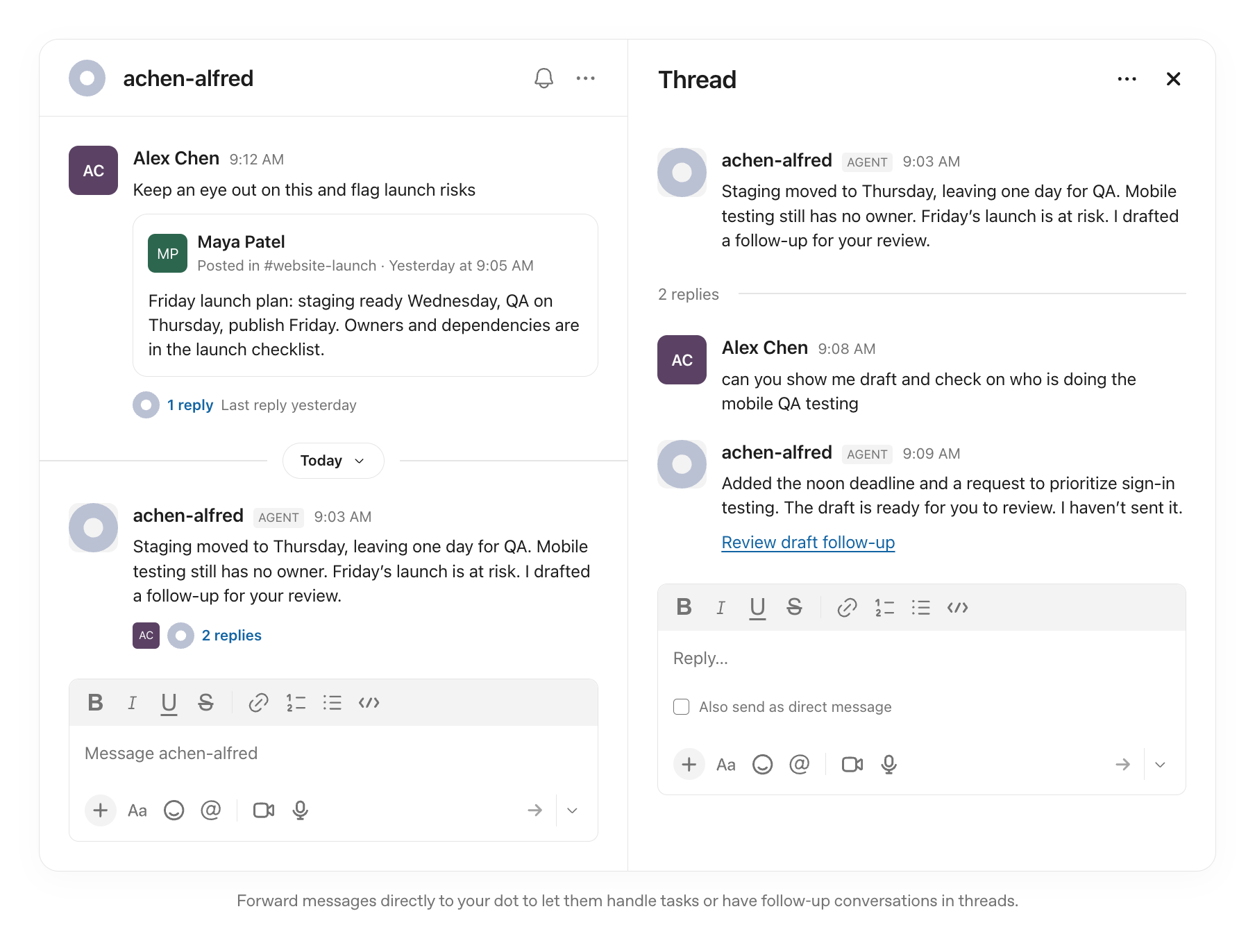
Until this week, you reached a dot inside the ChatGPT app, on the web, or in Slack and Microsoft Teams. This update adds one more channel: your phone's built-in Messages app. The dot keeps the same memory, tools, and conversation history regardless of where you reach it.
Who Can Text ChatGPT?
Texting is a limited beta for ChatGPT Pro users aged 18 and older in the United States. It is not available on Free, Go, or Plus plans. Business and Enterprise workspaces do not have texting access.
Which plans include texting
Texting beta
- ProU.S., 18+
No texting
- Free
- Go
- Plus
- Business
- Enterprise
Dots themselves are available more broadly. Pro users outside the EEA, Switzerland, and the UK can create one. So can Business Premium users and Enterprise users whose admin enables the beta. Only the texting channel is limited to Pro in the United States.
Access is rolling out gradually. It may take several days to appear on your account, and not every Pro user will get it during the beta.
How to Text ChatGPT on iPhone and Android
Setup takes four steps, and you only have to do it once:
- Open your dot's profile in the ChatGPT mobile app, the desktop app or ChatGPT in a desktop browser. Mobile web isn't supported.
- Select Texting and enter your phone number.
- Follow the verification steps in ChatGPT.
- Save the contact card your dot sends you, then text that contact.
That's it. The conversation picks up from there.
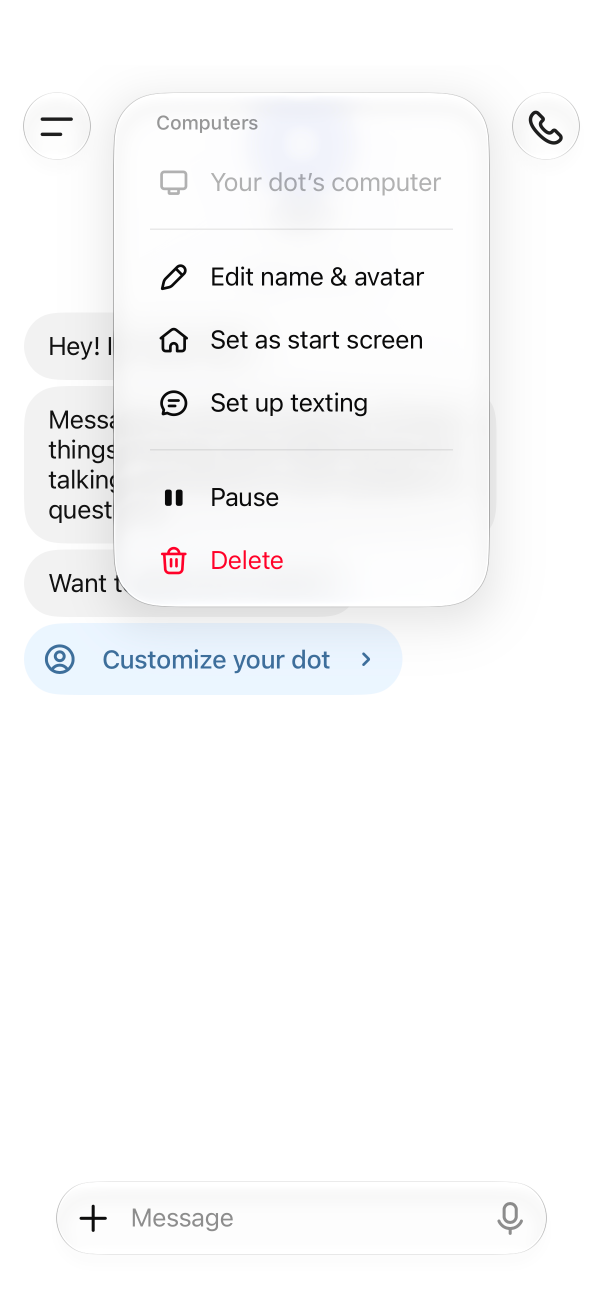 1Open your dot's menu and tap Set up texting.
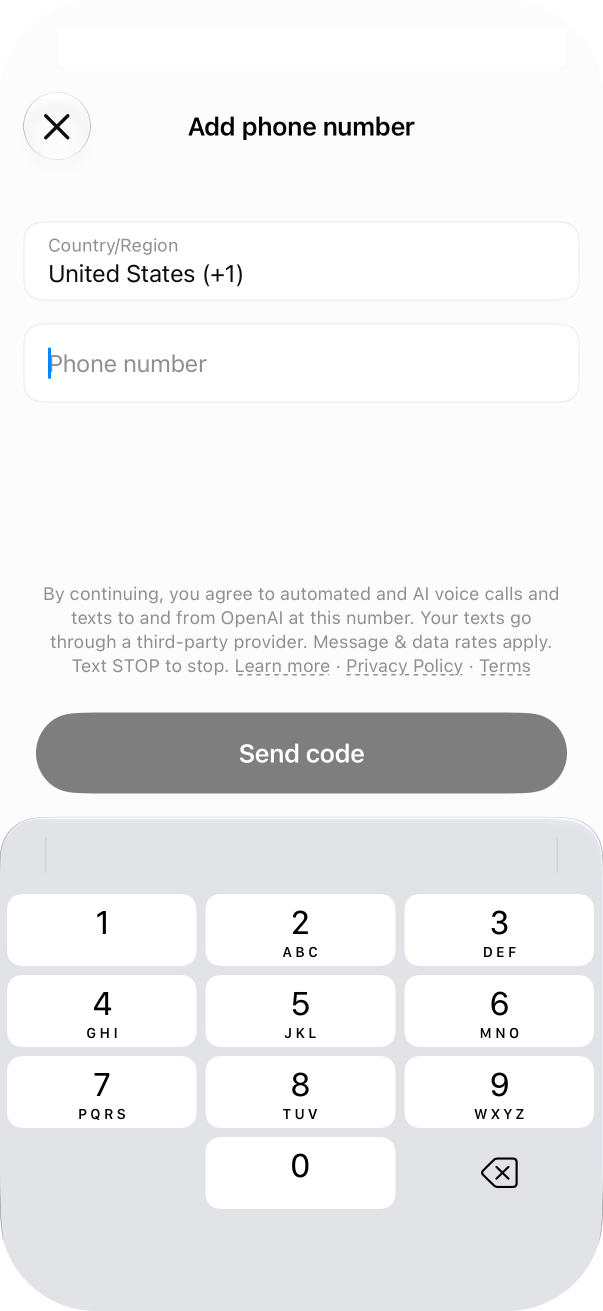 2Enter your phone number and send the code.
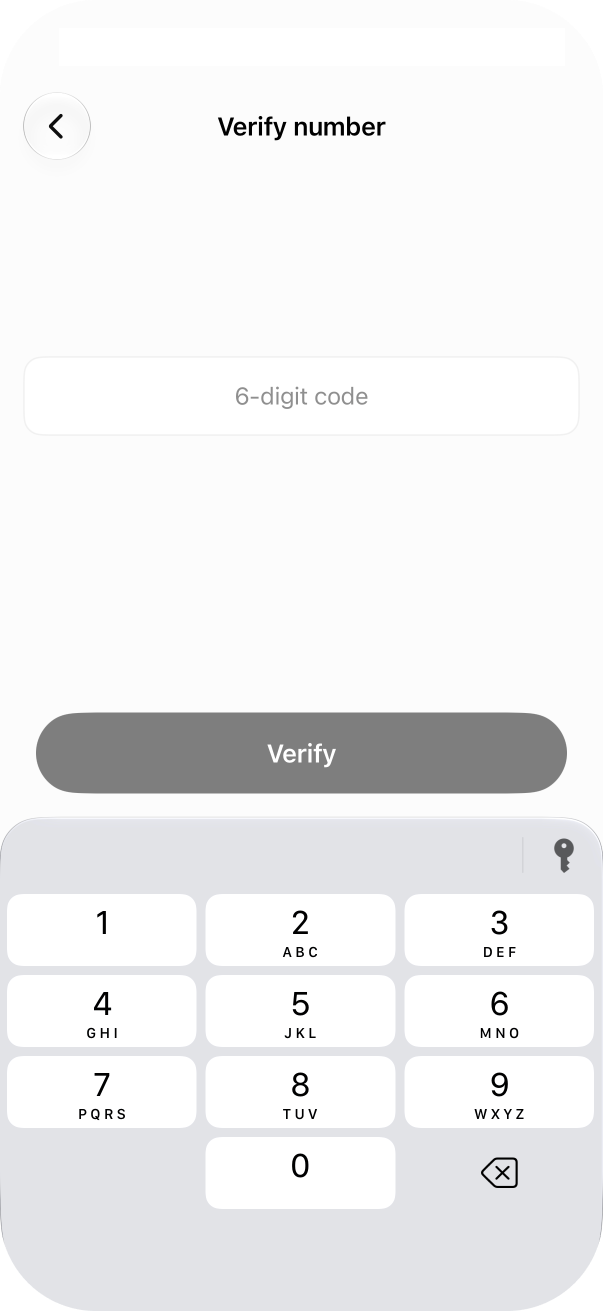 3Enter the 6-digit code.
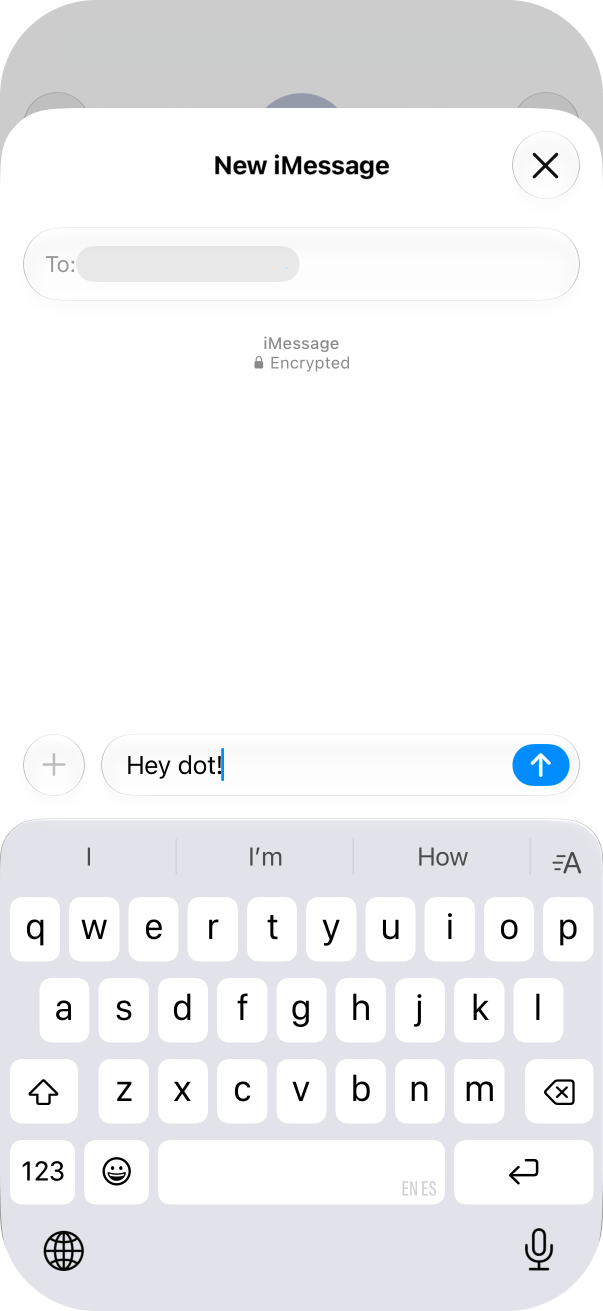 4Text your dot from Messages.
iPhone (iMessage)
Send from the phone number you verified. If your iMessage is set to send from an email address or a different number, your dot won't know it's you. Check this under Settings > Apps > Messages > Send & Receive.
Android (RCS)
Turn on RCS in your messaging app first. Without it, your messages go as SMS and the dot can't receive them. Here's how RCS compares with iMessage and SMS.
If Your dot Doesn't Reply
Your dot can only text you, and you're the only person who can text your dot. If you don't get a reply:
- Check that you're sending from the verified phone number, not an email address.
- Make sure the beta has reached your account (look for the Texting option in your dot's profile).
- Open ChatGPT and check for any pending approval requests.
Still waiting for beta access? You can add iMessage to your dot with Sendblue today, and your dot walks through the setup with you.
Add iMessage to Your dot for Free 60 seconds
Copy the quickstart guide and paste it to your dot. No credit card required, free for 10 contacts.
For dedicated numbers and iMessage across a team, see Sendblue for business.
What It's Like to Text Your Dot
Day to day, texting works the way you'd expect. You send it a question or a task the same way you'd text anyone. It replies in the thread. If it's working on something in the background and finishes, it texts you. If it needs your approval before doing something, it sends a link that opens ChatGPT so you can review it there.
You can tell your dot when to text you and when to stay quiet. "Only text me when something needs a decision" is enough. Routine updates stay in ChatGPT.
What Can a dot Do Over Text?
Your dot can send and receive text, photos and voice messages. It can text you first with updates. It can ask for your approval through a link. Every conversation is one-to-one between you and your dot. It can't text anyone else, and nobody else can text it.
What a dot can and can't do over text
Can
- Send and receive text, photos and voice messages
- Text you first with updates
- Ask for your approval through a link
Can't
- Join group chats
- Make phone calls
- Start FaceTime from the text thread
- Text anyone else
What it can't do: join group chats, make phone calls or start FaceTime from the text thread. You can still call your dot inside the ChatGPT app.
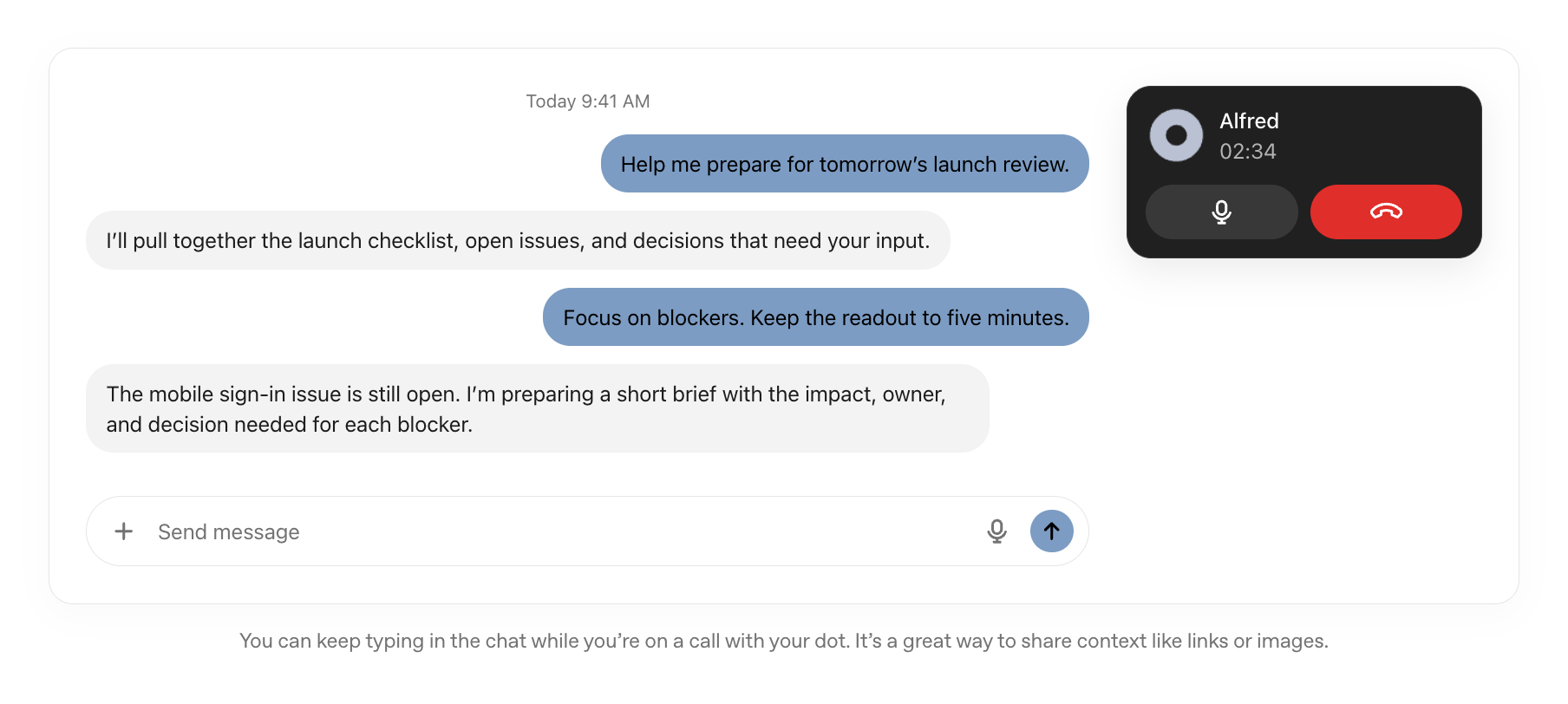
How to Control When Your dot Texts You
Tell it. There's no switch in settings. You tell your dot in plain language when to text you and when to keep updates inside ChatGPT. Something like "only text me when you need a decision" works. If you don't set that boundary, your dot will choose the channel on its own, and it may text you more than you want.
Can ChatGPT Read Your Other Text Messages?
No. Your dot sees its own thread with you and nothing else. Turning on texting doesn't give it or OpenAI access to the rest of your messages.
Why OpenAI Chose iMessage (and What It Means for AI Agents)
At Sendblue, our customers often see 2–3x higher response rates on iMessage compared to SMS. That gap exists because people treat iMessage like a conversation and SMS like a notification.
This matters more for agents than for people. An agent that runs in the background needs a way to reach you when it's done or stuck. It could send a push notification, but you'll swipe that away. It could send an email, but you won't see it for hours. A text from a saved contact lands on the lock screen as a blue bubble, and people read it the way they'd read one from a friend, family member, or coworker. That's why the ability to text you first matters as much as the ability to text it.
The tradeoff is control. A dot is a personal assistant on OpenAI's number, for one person. A business that wants an agent texting its customers needs its own number, its own choice of model and its own rules for what the agent says.
How to Connect Your Own AI Agent to iMessage
OpenAI's texting beta covers ChatGPT Pro users in the U.S. With Sendblue, you can add iMessage to your dot through your own Sendblue account. Paste one quickstart guide to your dot, and it walks you through creating your Sendblue account, checking that texts go both ways and installing the Sendblue app for ChatGPT.
It's free to start, with no credit card required. Copy the quickstart guide below and paste it to your dot.
Add iMessage to Your dot for Free
Copy this quickstart guide and paste it to your dot. Your dot sets up a Sendblue iMessage number, checks that texts go both ways, then installs the Sendblue app for ChatGPT.
Start free today. No credit card required, free for 10 contacts.
For dedicated numbers and iMessage across a team, see Sendblue for business.
FAQ
Can you text ChatGPT on iMessage?
Yes. ChatGPT Pro users in the U.S. can text their ChatGPT dot over iMessage as part of a gradual beta. Android users can use RCS.
How do I set up my ChatGPT dot on iMessage?
Open your dot's profile in ChatGPT, select Texting, verify your phone number, save the contact card and send a message from the number you verified.
Can I text ChatGPT for free?
No. Texting a dot requires a ChatGPT Pro subscription.
Is ChatGPT texting available on Plus?
No. Texting is a limited beta for ChatGPT Pro users in the U.S. Free, Go and Plus plans don't include it.
Can ChatGPT dots join group chats or make calls over iMessage?
No. Texting is one to one only. Group chats, phone calls and FaceTime aren't supported, though you can call your dot in the ChatGPT app.
Can my ChatGPT dot read my other text messages?
No. OpenAI says setting up texting doesn't give your dot or OpenAI access to your other conversations. Only you can text your dot, and it can text only you.
Ready to add iMessage to your AI agent?
Free sandbox, no credit card required. Get API keys in minutes.